


In this tutorial, you will learn how to delete a database in Plesk. This is helpful when the database is no longer needed.
1. Log in to your Plesk account.
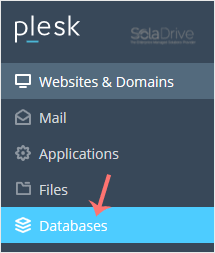
2. Click on Databases from the Sidebar Menu.
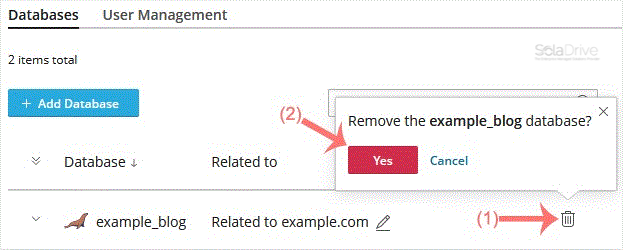
3. Find the database you want to remove, click the trash icon next to it, and confirm with Yes.
The database has been successfully deleted in Plesk.